Nagad Customer Care Jessore: Official Support Options
Nagad Customer Care Jessore users can contact the official Nagad helpline at 16167 or 096 096 16167. For in-person assistance, use Nagad’s official service locator to find the currently listed Nagad Sheba point for Jashore district and your area.
Last checked: 18 October 2026
Nagad Official Contact Details
| Short helpline | 16167 |
|---|---|
| Alternative helpline | 096 096 16167 |
| Support email | info@nagad.com.bd |
| Official contact page | Nagad contact and locator page |
| Jessore service locator | Search official Nagad Sheba locations |
| Official app | Download or open the Nagad app |
| Verified Facebook page | MyNagad on Facebook |
| Service-centre hours | Confirm through the official locator or helpline before visiting |
Nagad’s official contact page invites customers to contact support at any time. However, this does not prove that every physical service centre remains open around the clock. Always confirm the selected Jessore centre’s hours before travelling.
How to Find a Nagad Customer Care Point in Jessore
Nagad maintains an official district and area-based locator for its customer-service points. This is safer than relying on an old blog address or an unverified Google Maps listing.
- Open the official Nagad Sheba locator.
- Select Jashore from the district list when it is available.
- Select the relevant area or thana.
- Review the service point returned by the official locator.
- Call 16167 if the locator does not return a result or the address is unclear.
- Confirm the service-centre hours and required documents before leaving home.
Should You Call Support or Visit a Nagad Sheba Centre?
Contact the helpline first
Calling is usually the fastest first step when you need:
- Transaction-status information
- Initial guidance about a locked account
- Help identifying the correct service process
- Fraud or unauthorised-transaction reporting
- Confirmation of required KYC documents
- The nearest currently listed service point
Visit when instructed
An in-person visit may be needed for matters involving:
- Identity or account-ownership verification
- KYC information that cannot be updated remotely
- A registered SIM or NID mismatch
- Documents that must be checked physically
- A complaint that support asks you to submit in person
The appropriate solution depends on the account and issue. Calling the official helpline before visiting can prevent an unnecessary journey.
Help With Common Nagad Account Problems
Forgotten or blocked PIN
Use the official Nagad app or contact the helpline for the approved recovery process. Do not repeatedly enter a guessed PIN, and never ask an entrepreneur or an unknown caller to reset it using your OTP.
KYC or personal-information update
Ask support which documents are required and whether the update can be completed through the app. Account ownership, registered mobile number and NID information may need verification.
Cash-in or cash-out dispute
Keep the transaction ID, amount, time and entrepreneur number. Contact official support promptly and avoid making another transaction merely to “reverse” the first one.
Unauthorised transaction
Contact Nagad immediately, secure the registered SIM and preserve all transaction evidence. If deception, theft or another crime is suspected, follow police instructions as well.
Account or SIM ownership mismatch
Do not attempt to bypass identity verification. Ask Nagad what the registered account holder must provide and whether the matter requires an official service-centre visit.
App access problem
Confirm that the app came from Nagad’s official download link, update it through the authorised app store and avoid unofficial APK files or links sent through messages.
What to Prepare Before Contacting Nagad
Having the correct information ready can make the support process more efficient:
- The Nagad account’s registered mobile number
- The account holder’s identification details
- Transaction ID, date, time and amount
- The sender and recipient numbers where relevant
- A clear description of what happened
- Relevant screenshots without exposing the PIN or OTP
- The complaint or reference number from an earlier contact
What to Bring for an In-Person Visit
Confirm the requirements with Nagad first. Depending on the issue, the account holder may be asked to bring:
- The original National Identity Card and a photocopy
- The mobile phone containing the registered SIM
- Relevant transaction or complaint references
- Supporting documents requested by official support
- The account holder in person for identity verification
Do not hand over an original identity document, SIM or unlocked phone to an unidentified person outside an official service process.
How to Report Suspected Nagad Fraud
- Stop communicating with the suspected fraudster.
- Call Nagad through 16167 or 096 096 16167.
- Provide the transaction ID, amount, time and account numbers requested by official support.
- Secure the registered SIM, email and other financial accounts if they may be compromised.
- Preserve messages, numbers, links, call logs and screenshots.
- Follow police instructions when a crime is suspected.
For local police contact and Online GD guidance, see the Jessore Kotwali Thana guide. Call 999 when there is an immediate threat to personal safety.
Reporting quickly does not guarantee that money will be recovered, but delaying can reduce the opportunity for the provider or authorities to review the transaction.
Nagad Sheba Centre vs Nagad Entrepreneur
Nagad Sheba
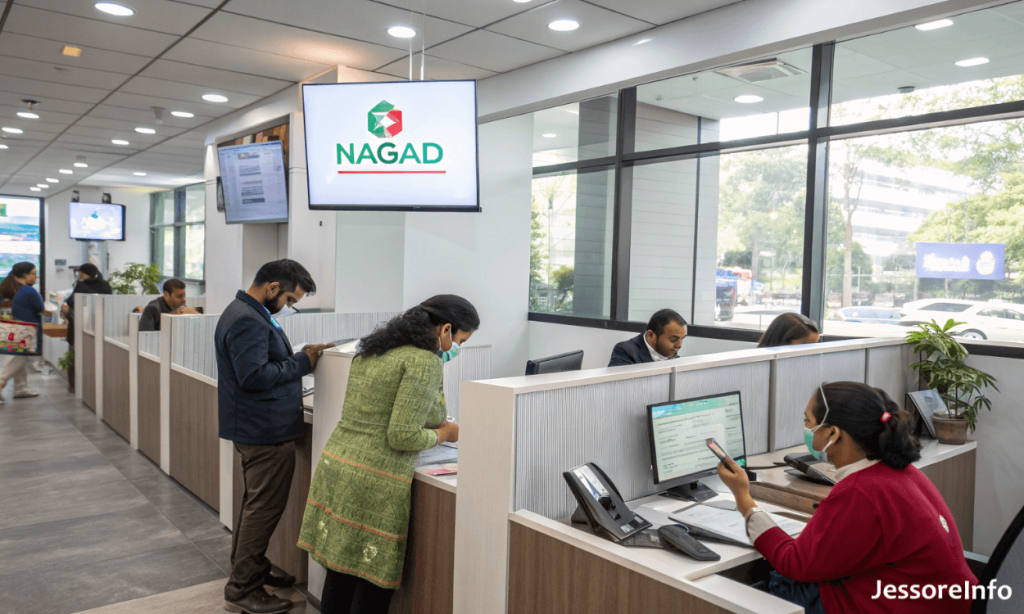
A Nagad Sheba location is intended for customer-service support. Use the official Nagad Sheba locator when an account, KYC, complaint or identity-related issue may require in-person assistance.
Nagad entrepreneur
An entrepreneur commonly handles services such as cash-in or cash-out. An entrepreneur should not be treated as a substitute for official customer support in a sensitive account or ownership dispute.
Nagad provides separate official locators for service centres, entrepreneurs, distributors and merchants. Select the correct locator according to the task you need to complete.
Official Digital Support Options
- Website: nagad.com.bd
- Contact page: Official Nagad contact page
- Service locator: Nagad Sheba locator
- Email: info@nagad.com.bd
- App: Official Nagad app link
- Facebook: MyNagad
Check the domain or verified profile carefully before entering account information. Paid advertisements, copied Facebook pages and search results can lead to impersonation sites.
Other Customer-Service Resources in Jessore
- bKash Customer Care Jessore
- Banglalink Customer Care Jessore
- Jessore Kotwali Thana contact and Online GD guide
Frequently Asked Questions
What is the Nagad customer-care number?
Nagad’s official contact page publishes 16167 and 096 096 16167.
Where is Nagad Customer Care in Jessore?
Use the official Nagad Sheba locator and select Jashore and the relevant area. An exact current Jessore address has not been guessed because the official locator should be checked for the latest result.
Is the old Jessore Head Post Office address confirmed?
A current official source confirming that address as the active Jessore Nagad Sheba centre was not found during this update. Use Nagad’s locator or helpline before travelling.
Is Nagad customer care open 24 hours?
Nagad’s official contact page encourages customers to contact support at any time, but this does not establish that every physical service point is open 24 hours. Confirm the selected centre’s schedule before visiting.
Can a Nagad entrepreneur reset my PIN?
Use only Nagad’s official PIN-recovery process. Never give an entrepreneur or caller your PIN or OTP. Contact the official helpline if the approved process is unclear.
What should I do after an unauthorised transaction?
Contact Nagad immediately, secure the registered SIM and associated accounts, preserve transaction evidence and follow police instructions if fraud or theft is suspected.
What is Nagad’s official support email?
The official contact page lists info@nagad.com.bd.
Independent information notice: This page is not an official Nagad website and cannot access, unlock or recover an account. Contact Nagad through its verified channels for account-specific instructions. Service locations, requirements and operating schedules may change.