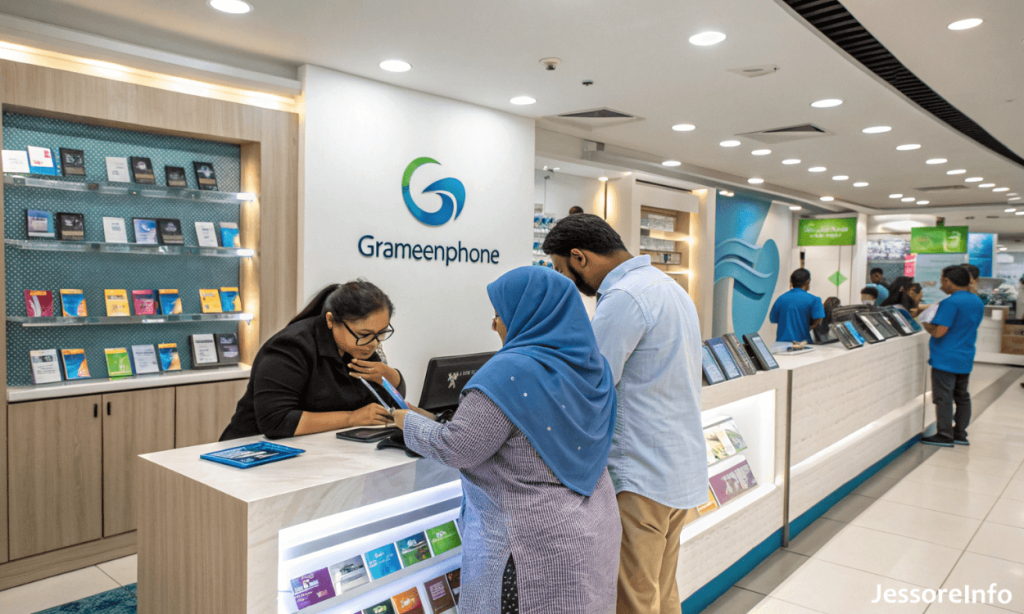
Quick answer: For Grameenphone customer support in Jessore, dial 121 from a GP number. You can also use Grameenphone live chat, email insta.service@grameenphone.com, or search the official GP Store Locator for the latest customer-care point in Jess Jessore or Jashore.
This GP Customer Care Jessore guide was verified from official Grameenphone sources on 15 September 2026. Physical service-point addresses and operating hours can change, so confirm the current listing before travelling.
GP Customer Care Jessore Contact Options
| Support option | Official contact or action |
|---|---|
| Customer-service hotline | Dial 121 from a Grameenphone number |
| Email support | insta.service@grameenphone.com |
| Live chat | Open GP Online Customer Service |
| Official Facebook support | Grameenphone Facebook page |
| Current center or service-point address | Search the official GP Store Locator |
Current GP Customer Care Location in Jessore
Grameenphone maintains an official locator for GP Centers, GP Service Points and Care Points. Because individual locations may move, close or change their available services, an address from an old directory may no longer be reliable.
Follow these steps to find the latest location:
- Open the official GP Store Locator.
- Enter Jessore in the location field.
- If necessary, also search using the official spelling Jashore.
- Select GP Centers, GP Service Points or Care Point from the available filters.
- Open the relevant listing to check its current address and opening hours.
- Contact GP through 121 or live chat before visiting for a service that requires physical verification.
This page does not publish an unverified Jessore street address. The official locator should be treated as the current source.
GP Customer Care Opening Hours
Many entries in the official GP Store Locator show service hours around 10:00 AM to 6:00 PM. However, hours can differ by location and may change on Fridays, public holidays or special occasions.
Check the exact operating hours displayed beside your selected Jessore service point before travelling.
Services Available Through GP Customer Care
Depending on the type of center or service point, GP customer-care channels may assist with:
- SIM replacement and biometric verification
- SIM PIN or PUK problems
- Lost-phone or SIM barring requests
- Transfer of SIM ownership
- Mobile Number Portability or MNP support
- Network, incoming-call or outgoing-call problems
- Internet and SMS troubleshooting
- Postpaid billing and account-related queries
- Package, balance and service information
Not every GP Service Point provides every service. Confirm service availability through 121, live chat or the store listing before visiting.
Documents for SIM Replacement
Grameenphone states that biometric verification is mandatory for an individual SIM replacement. The registered owner should normally visit the appropriate service location personally.
Keep the following items ready:
- The valid identity document used for SIM registration
- The registered mobile number
- The existing SIM, if it is still available
- Correct ownership information
- The applicable SIM-replacement fee
GP may request additional information or verification depending on the condition of the SIM and the subscriber account.
Requirements for SIM Ownership Transfer
For an individual ownership transfer, both the current owner and the new owner generally need to be present together at an eligible Grameenphone service location. Valid identity documents and biometric verification are required.
Confirm that the selected Jessore location offers ownership-transfer service before visiting.
How to Get GP Support Without Visiting a Center
Call 121
Dial 121 from your Grameenphone number for customer-service assistance. GP’s official information also identifies 121 as a contact point for several services, including lost-phone barring, PIN or PUK problems and network-related support.
Use GP Live Chat
Visit the GP Online Customer Service page and use the live-chat icon displayed at the bottom-right corner.
Send an Email
For a customer query or complaint, email insta.service@grameenphone.com. Include your problem clearly, but never send a password, PIN or one-time verification code by email.
Use the MyGP App
Many common tasks—including checking usage history, recharging, paying postpaid bills and managing packages—can be completed through the MyGP app without visiting a physical service point.
Safety Tips for GP Customers
- Use only Grameenphone’s official website, app, hotline and verified social channels.
- Do not share an OTP, PIN, password or mobile-banking code with an unknown caller.
- Do not send money to someone claiming that you have won a reward.
- GP’s official information states that Grameenphone contacts customers by calling from 121.
- Verify a physical service point through the official locator before visiting.
Frequently Asked Questions
What is the GP Customer Care number in Jessore?
Dial 121 from a Grameenphone number. This is the official customer-service route for GP subscribers in Jessore and elsewhere in Bangladesh.
Where is the GP Customer Care Center in Jessore?
Use the official GP Store Locator and search for both “Jessore” and “Jashore.” It provides the most current available center, service-point and operating-hours information.
What are the opening hours of GP Customer Care Jessore?
Many GP locator entries operate around 10:00 AM–6:00 PM, but the schedule varies. Check the hours shown for the selected location before visiting.
Can I replace my SIM at a GP service point?
SIM replacement is available through eligible GP customer-care locations and requires biometric verification. Confirm that the selected service point provides this service.
Can I contact GP online?
Yes. Grameenphone provides live chat, email support at insta.service@grameenphone.com and assistance through its official Facebook page.
Do I need the registered SIM owner for replacement?
The registered owner should be present for the mandatory biometric verification required for an individual SIM replacement.
Is Jessore also written as Jashore?
Yes. Both spellings are commonly used in searches. Try both “Jessore” and “Jashore” when using the official store locator.