Nath Computer Jessore: Address, Phone & Computer Buying Guide
Nath Computer Address, Contact and Buyer Information
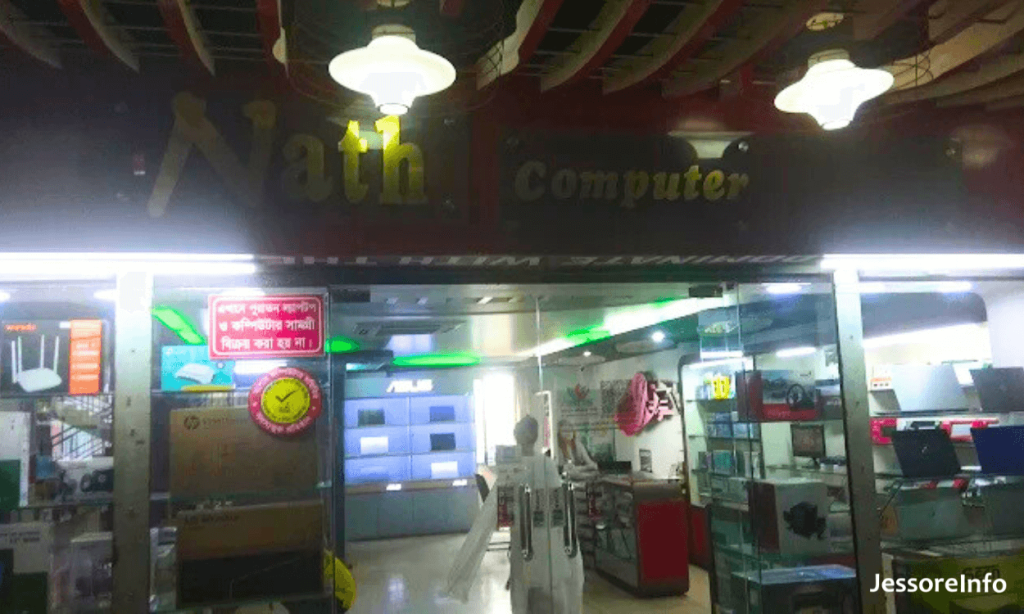
Nath Computer is a computer sales business associated with Protiva Plaza on Rail Road in central Jessore. This guide provides the most consistently published contact information and a practical checklist for comparing laptops, desktops, components and accessories before purchasing.
Nath Computer Jessore Contact Details
- Business name: Nath Computer
- Address: 21 Rail Road, Protiva Plaza, Jessore 7400, Bangladesh
- Mobile: 01712-175703
- Business category: Computer sales and distribution
- Product segments publicly listed: Laptops, desktops and accessories
- Opening hours: Confirm directly before visiting
Where Is Nath Computer Located?
Current brand-dealer information places Nath Computer at 21 Rail Road, Protiva Plaza in Jessore. When using a navigation app, search with both the business name and the complete address. Call the store for a nearby landmark, floor or shop number if the map marker is not precise.
Rail Road is within the central commercial area of Jessore. Traffic, parking arrangements and building access can vary, so visitors carrying a desktop computer or other large equipment should ask about convenient drop-off and collection arrangements.
Products You Can Ask About
Public dealer information associates Nath Computer with laptop, desktop and accessory sales. Stock changes frequently, so the following categories should be treated as enquiry topics rather than a guaranteed live inventory:
- Brand laptops for study, office work or professional use
- Desktop computers and pre-built systems
- Computer components and upgrade parts
- Keyboards, mice, headsets and other peripherals
- Storage devices, memory and connectivity accessories
- Monitors, power accessories and networking products
How to Request a Laptop or Desktop Quotation
Explain how you will use it
Tell the seller whether the computer is for office work, study, programming, graphic design, video editing or another purpose. This helps prevent paying for unsuitable specifications.
Request the exact model
Ask for the complete laptop model or a detailed desktop component list. Small model-number differences can change the processor, display, memory, storage and warranty.
Confirm warranty coverage
Ask whether the warranty is provided by the brand, authorised distributor, importer or only the shop. Obtain the warranty terms in writing.
Get the full price
Confirm whether VAT, software installation, accessories, delivery or setup charges are included in the quotation.
Computer Buying Comparison Checklist
| Item | What to verify | Why it matters |
|---|---|---|
| Processor | Full processor model and generation | Similar product names can have significantly different performance. |
| Memory | Installed RAM, type, speed and available upgrade slots | Upgrade limitations affect the useful life of the computer. |
| Storage | SSD type, capacity and additional storage support | Storage type influences speed, capacity and future expansion. |
| Display | Panel type, resolution, refresh rate and colour specification | Display quality matters for long working sessions and creative tasks. |
| Graphics | Integrated or dedicated GPU with exact model | Design, editing and gaming workloads may require dedicated graphics. |
| Operating system | Whether a genuine licensed operating system is included | An activated screen alone does not prove that software is properly licensed. |
| Warranty | Provider, duration, coverage and service location | Warranty responsibility should be clear before payment. |
| Invoice | Product model, serial number, price and seller details | A complete invoice supports warranty and ownership records. |
Before Paying for a Computer
- Match the product model and serial number with the box and invoice.
- Check whether the box seal and supplied accessories are complete.
- Inspect the display, keyboard, ports, charger and physical condition.
- Confirm the processor, RAM and storage shown in the operating system.
- Ask who will handle warranty claims and where service must be obtained.
- Keep the invoice, warranty document, packaging and payment record.
- For an advance order, obtain the model, price and delivery date in writing.
Desktop Build Checklist
Repair and Upgrade Enquiries
The older page stated that repair and consultation services were available, but dependable current service information was not established during this review. If you need a repair or upgrade, call and confirm:
- Whether the required repair or upgrade is currently accepted
- Whether an inspection or diagnosis fee applies
- Estimated completion time and parts availability
- Whether replaced parts will be returned to the customer
- Warranty terms for newly installed parts
- How customer data and storage devices will be handled
Related Jessore Technology Guides
Frequently Asked Questions
What is the Nath Computer Jessore phone number?
The consistently published mobile number is 01712-175703. Confirm that you have reached Nath Computer at Protiva Plaza before discussing an order.
Where is Nath Computer located?
Public dealer information lists the address as 21 Rail Road, Protiva Plaza, Jessore 7400, Bangladesh.
Does Nath Computer sell laptops and desktops?
A recent brand-dealer directory lists Nath Computer under laptop, desktop and accessories segments. Call for current brands, models, specifications and stock.
Is Nath Computer an authorised dealer?
The store appears in an Acer dealer directory. Authorisation can be brand-specific and may change, so verify the status for the exact product and warranty programme before purchasing.
Does Nath Computer provide computer repair?
Current repair-service availability was not independently confirmed. Call the store and ask whether it accepts your device type and problem.
What are the current opening hours?
A dependable current official schedule was not available during this review. Contact the store before travelling.
How can I verify an official computer warranty?
Check the serial number, distributor sticker, invoice and written warranty terms. Where possible, confirm the serial number through the manufacturer or authorised distributor.
Information standard: Store operations, phone numbers, opening hours, stock, prices, dealer status and warranty arrangements can change. Confirm time-sensitive details directly before visiting or paying.